In our latest software update we’re extremely proud to introduce the new NewZapp email editor.
I market NewZapp. Just like you, I create and send a lot of emails! Luckily for me I get sneaky previews of all our software updates and have been using the new editor for a little while. I can safely say that, in my 20-year career (I can’t quite believe it’s that long, but it is!), this new editor is the best email editing software I have ever used.
Here’s my review of why I think it is so good.
NewZapp email editor review
Disclaimer: Yes, I am paid to paint NewZapp in a good light but this review is entirely genuine. In a past life, I was also a customer of NewZapp and this review would be written exactly the same whether viewing NewZapp as a customer or as an insider.
Familiarity
While the NewZapp editing tool is new and brings a heap of benefits, it still feels familiar. I quickly found my way around and within a few days was so comfortable using it I was struggling to remember what the old version was like!
Ease
As email communication tools go there are always little work arounds or limitations that you just learn to accept. In the latest software update NewZapp overcomes all of these.
Here’s just a few of them:
Padding
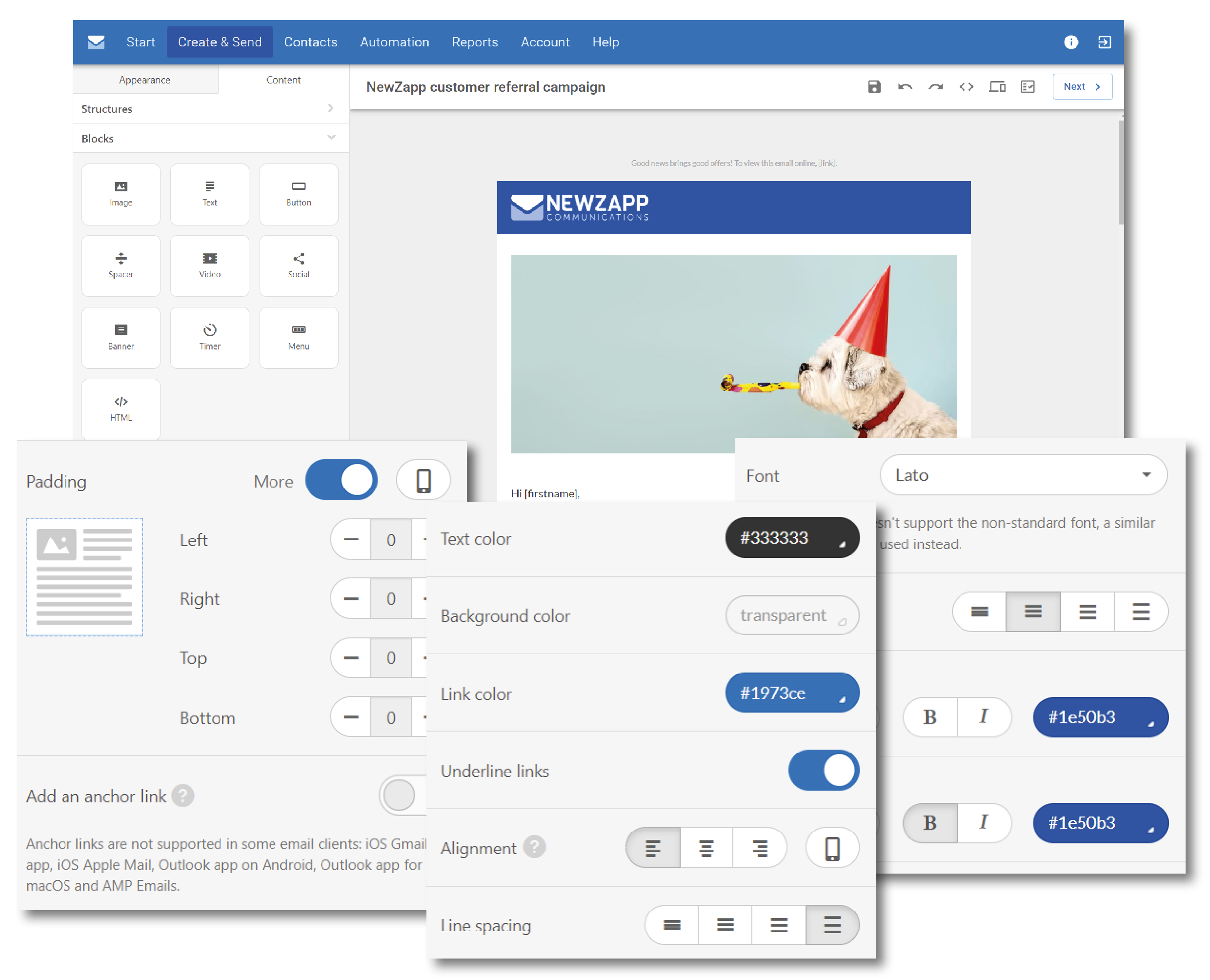
One of my biggest bugbears previously! Padding blocks are a thing of the past. Now I can adjust the padding around any section, in any direction, with a few clicks.
Buttons
Buttons have become beautiful! I don’t have to create an image and upload it anymore. I can create a button of any size or colour and round the corners if I like. The entire style of the button is editable within NewZapp.
Videos
No more creating an image and adding a play button on top of it to make it look like a video! Now you just select the video block, insert the link to your video and NewZapp automatically shows the screen grab from the video platform. It’s so easy! (But if you want a different screen grab of your video, that’s fine too, you just upload your custom version.)
Smooth Drag n Drop
Previously the Drag n Drop was a bit clunky and I’d often end up dropping something into the wrong section by mistake. Now everything flows effortlessly, and they all snap together brilliantly.
On their own these are minor things but when you combine them all it’s such a breath of fresh air. Creating emails has become a pleasure rather than a task of remembering the workarounds!
I can control so much more
I’m no HTML expert. If someone says “you can just tweak that in the code” I become a rabbit in headlights. In this release, the new email editor allows me to control so much more – from the overall look to the individual blocks.
For example, I can set up the email exactly as I want it. I no longer have to live with the font size of ‘header 2’. Now I can change that, and many other factors, myself. From font size, to background colour, and the layout of the mobile version – I manage it all.
And if you have a corporate font that isn’t one of the ‘standard’ fonts, you can finally use it. The latest upgrade means you can add your own custom fonts.
Everything is just better!
Much of the new email editor offers the same features as before, but now they are just so much more intuitive. Let me give you some examples:
- Saving sections of my email for reuse – once known as ‘custom blocks’, I can save sections of my emails and turn them into ‘modules’ that can be inserted into future emails. This process just flows so much better, and they are displayed as images so I can visually recognise them without needing to know what each section is called.
- Greater power over links – much like before you can link to web pages or documents but now the Document Manager is more intelligent. It replaces spaces in filenames so there are no more broken links! I can also easily change the colour of link text and decide if I want it to be underlined or not.
- Editing images – the image editor is so much more fluid. Everything is where I expect to find it and it just makes the entire process so much easier.
Some added perks
There’s more! There’s a couple of new features that I really love that warrant their own place in this review.
Free image library
If you need an image to support your copy you can now search the free image library. These are pulled from Pixabay and Pexels and there are thousands to choose from. Previously I was very conscious how time consuming it was to source images – now it takes just a few seconds.
Countdown clock
It’s a novelty but I love it! If you have an event, you can add a timer to your email which counts down in real-time. This dynamic feature is perfect for grabbing people’s attention.
Folders have been modernised
If like me, organisation is a big factor in your life, you too will get excited by the new way of filing your emails. Folders are gone and in their place are colour-coded ‘topics’. You can tag emails against topics, for example, “health & safety” and “companywide comms”. Each email can have multiple topics assigned to it and you can filter emails against each topic.
But what’s even more exciting than having your emails stored in an orderly fashion is that within the next NewZapp software release, you will be able to report on the performance of all emails within each topic. It’s the gift that keeps on giving!
Spam checker
This isn’t actually a new feature but it’s looking a bit shinier and is so good I think it’s worth mentioning. Once I’ve created my email, I can click the spam filter icon and NewZapp will automatically establish how likely my email is to be picked up as spam. It provides some suggestions to reduce the likelihood – all of which are straightforward to amend, and away we go.
Conclusion
Ultimately you need to use the email editor to truly appreciate how good it is because the above is just a snapshot of what it is capable of.
But my conclusion is that this email editor receives such good reviews because it brings all the existing familiar parts of email editing together with some game-changing new elements, whilst making every single one of them easy to use. It’s got that perfect combination of brilliant features AND ease of use.
Take a look for yourself
If you’d like to see how the NewZapp email editor can transform how you send emails, get in touch and we’ll happily give you a tour.