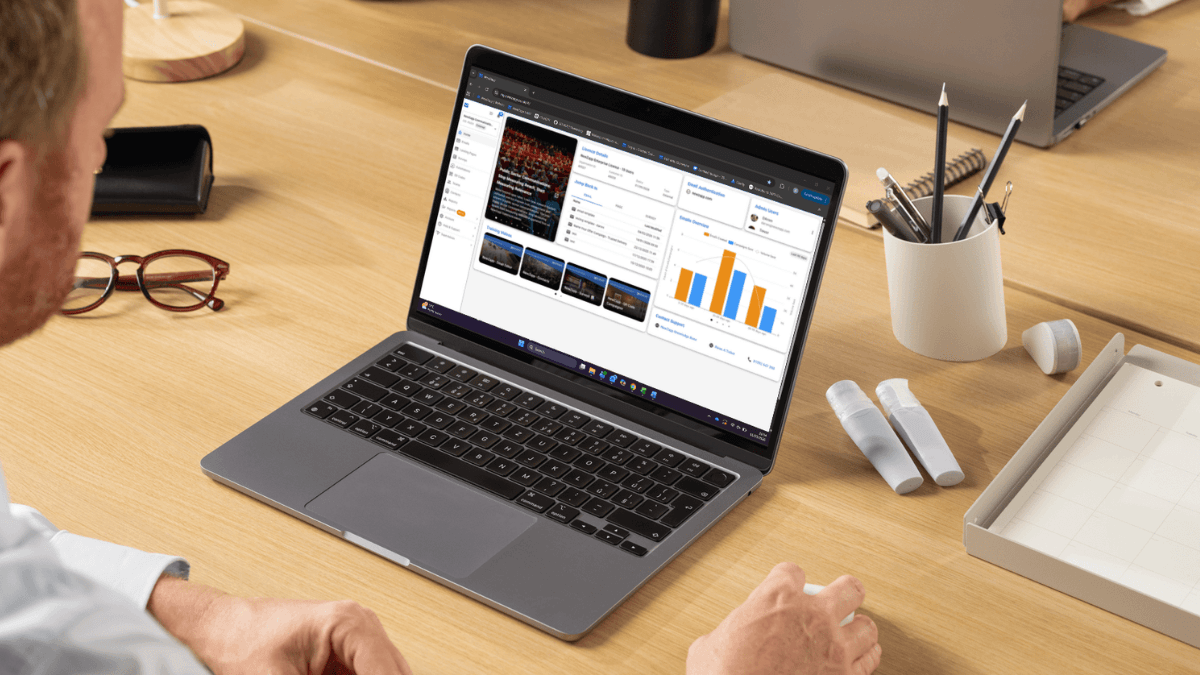
Over the coming weeks, you may notice a few changes to the way NewZapp looks when you log in. We’ll be introducing a small interface update designed to make the platform easier to navigate, more efficient to use and better suited to modern communication workflows.
The update will include a redesigned side navigation menu, a collapsible layout that provides more workspace on smaller screens, and underlying performance improvements that help the platform handle data and user actions more efficiently.
While the visual changes are subtle, they reflect a broader approach to how NewZapp continues to evolve. By combining usability insights, modern UX principles and ongoing platform optimisation, we aim to ensure the platform becomes simpler, faster and more intuitive over time — without disrupting the workflows you rely on every day.
A New Navigation Layout
The most noticeable change is the location of the main navigation.
Previously, the different sections of NewZapp were accessed via tabs across the top of the screen. These have now moved to a side menu, giving the platform a clearer and more structured navigation layout.
This approach is now widely used across modern software platforms because it improves how users understand and navigate an interface. Instead of competing for space with the content you’re creating, navigation now sits consistently to the side, allowing the main workspace to take centre stage.
We’ve also moved the sections that were previously found under your profile menu (accessed by clicking your initials in the top-right corner) into the side navigation. This means everything relating to your account and settings is now available from the same place, making the platform easier to navigate and understand.
More Space to Focus on Your Work
A large number of NewZapp users access the platform on laptops, where screen space is naturally more limited than on desktop monitors.
To make the experience more comfortable on smaller screens, we’ve added the ability to minimise the side menu.
With a single click on the icon in the top-left corner of the screen, the menu collapses down to a set of icons. This gives you more space for what matters most—creating emails, building landing pages, or designing surveys.
Even when minimised, navigation remains easy. Hovering over each icon will display a tooltip so you can quickly identify where you need to go without expanding the menu again.
It’s a small change, but one that can make a noticeable difference to the usability of the platform—particularly for users working on smaller devices.
Designing for Clarity and Focus
These interface changes reflect a broader philosophy that guides how we develop NewZapp.
Good UX design isn’t about adding more features or making dramatic visual changes. Instead, it focuses on clarity, simplicity, and helping users accomplish their goals more efficiently.
By reorganising navigation, reducing interface clutter, and giving more space to the content creation area, the platform now better reflects how people actually use it. Communicators spend the majority of their time creating and managing content, so the interface should prioritise that workspace.
This design-led approach ensures that improvements to the platform make it more intuitive without disrupting existing workflows.

More Than a Visual Update
Although the new layout is the most visible change, it’s not the only improvement.
Alongside the interface updates, we’ve also implemented performance and infrastructure improvements behind the scenes. These enhancements affect how the platform processes actions, handles data, and loads information.
The result is that many users will notice the platform feels quicker and more responsive than before.
In many ways, the updated interface is simply the visual representation of these deeper improvements. As the underlying system becomes more efficient, the experience of using the platform becomes smoother and more streamlined.
Continuous Improvement
The evolution of NewZapp is driven by a simple principle: software should improve continuously based on how people actually use it.
Rather than introducing disruptive redesigns, we focus on incremental improvements that enhance usability while keeping the platform familiar and easy to work with.
That means listening to user feedback, analysing how features are used in practice, and applying established UX principles to ensure the platform continues to evolve in the right direction.
The latest interface update is part of that ongoing process.
A Simpler, Faster NewZapp
Ultimately, the goal of these changes is straightforward: to make NewZapp simpler, faster, and more focused on the work you do every day.
The new side navigation improves how the platform is organised, the collapsible menu gives you more room to work, and the underlying performance improvements help the system run more efficiently.
Taken together, these changes represent the next step in the continued evolution of the platform.
If you have any questions, or if there’s anything else we can help you with, please feel free to reach out to your account manager or email support@newzapp.com.

Frequently Asked Questions About the New NewZapp Interface
What has changed in the NewZapp platform interface?
The latest NewZapp update introduces a redesigned navigation layout. The main sections of the platform have moved from the top of the screen to a new side menu, creating a clearer structure and giving users more space to work within the platform.
In addition, account settings and profile options that were previously accessed through the profile menu have been integrated into the side navigation, making it easier to find important account features in one place.
Why did NewZapp move the navigation menu to the side of the screen?
The move to side navigation follows modern UX design patterns used across many SaaS platforms. Side navigation improves usability by creating a clearer interface structure and allowing the main workspace to take priority.
This change helps users focus on creating emails, landing pages and surveys without navigation elements competing for space at the top of the screen.
Can the new NewZapp side menu be hidden?
Yes. The new side menu can be minimised to give users more screen space when working inside the platform.
By clicking the icon in the top-left corner of the screen, the menu collapses into a smaller set of icons. This is particularly useful for users working on laptops or smaller displays.
How do I navigate NewZapp when the side menu is collapsed?
When the menu is collapsed, each icon still represents a section of the platform. Hovering over the icon will display a tooltip that identifies the section.
This allows users to maintain quick navigation while keeping more space available for content creation.
Have any features been removed from NewZapp?
No. All core features within the NewZapp platform remain the same.
The update focuses primarily on improving navigation, usability and workspace efficiency rather than changing how existing tools function.
Does the NewZapp update improve platform performance?
Yes. Alongside the interface update, improvements have been made to the underlying infrastructure of the platform.
These changes help NewZapp process actions more efficiently and improve how the system handles data, resulting in a faster and more responsive experience.
Why does NewZapp focus on UX improvements?
User experience (UX) plays a critical role in making software easier and more effective to use. By refining navigation, simplifying interfaces and improving responsiveness, NewZapp helps users complete communication tasks more quickly and efficiently.
These improvements are informed by both usability best practices and feedback from users of the platform.
Will the new interface change how I create emails or surveys?
No. The way you create emails, landing pages and surveys within NewZapp remains the same.
The interface update focuses on navigation and layout improvements, so your existing workflows and processes will remain familiar.
Why are small UI changes important in communication platforms?
Small UI changes can significantly improve usability and productivity. Improvements such as clearer navigation, more workspace and faster performance help users focus on creating and delivering communications rather than navigating software.
In SaaS platforms, incremental UX improvements often lead to better user efficiency and satisfaction.
Is the NewZapp interface likely to change again in the future?
NewZapp is continuously evolving based on user feedback, usability research and platform development.
Rather than introducing large disruptive redesigns, updates are typically delivered through incremental improvements that enhance usability while keeping the platform familiar for existing users.
Speak with us and find out more